
Will my clients' guests actually use it?
No app and no account. They open the event page in a mobile browser, review the notice and take a selfie.
For photographers and studios
You finish the shoot, and the second job starts: culling, sending, resending, and answering people who cannot find themselves in the gallery. Upload the set once, share one branded page, and let each guest search it with a selfie.
One demo event. Up to 100 Searchable Photos and 250 MB of Photo Storage for 7 days. Watermarked delivery, with no card required.

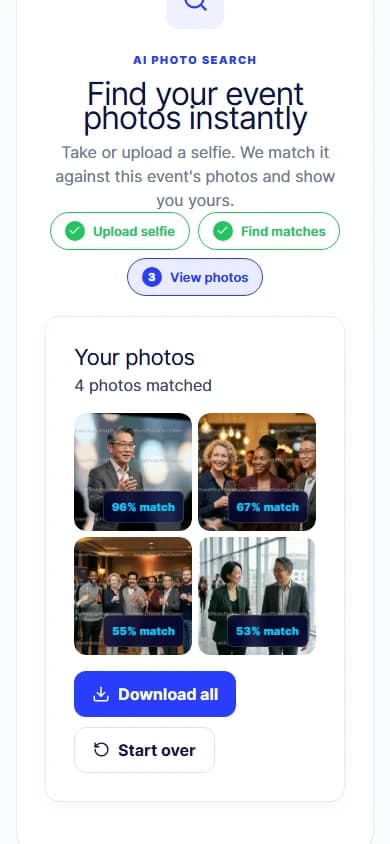
The work after the work
A single event can produce thousands of frames and dozens of people asking which ones they are in. Handling that by hand does not scale with the number of events you book.
You answer "which photos am I in?" one message at a time
Each guest searches the event themselves
Delivery links get forwarded, lost, and re-requested
One Page link stays the single place to start
The gallery looks like a file host, not like your work
The event page carries your cover, logo and theme
Every new event repeats the same manual delivery
The same setup works on the next booking
From card to client
Set the name, date, cover, logo and theme guests will see.
Send the full take straight from your browser. Each file can be up to 80 MB.
EventPhotoFind prepares gallery-sized images and builds an event-scoped face-search index.
Use the event URL or a QR code wherever you already send clients.
Each guest searches with a selfie and gets the frames they appear in.
What it actually looks like
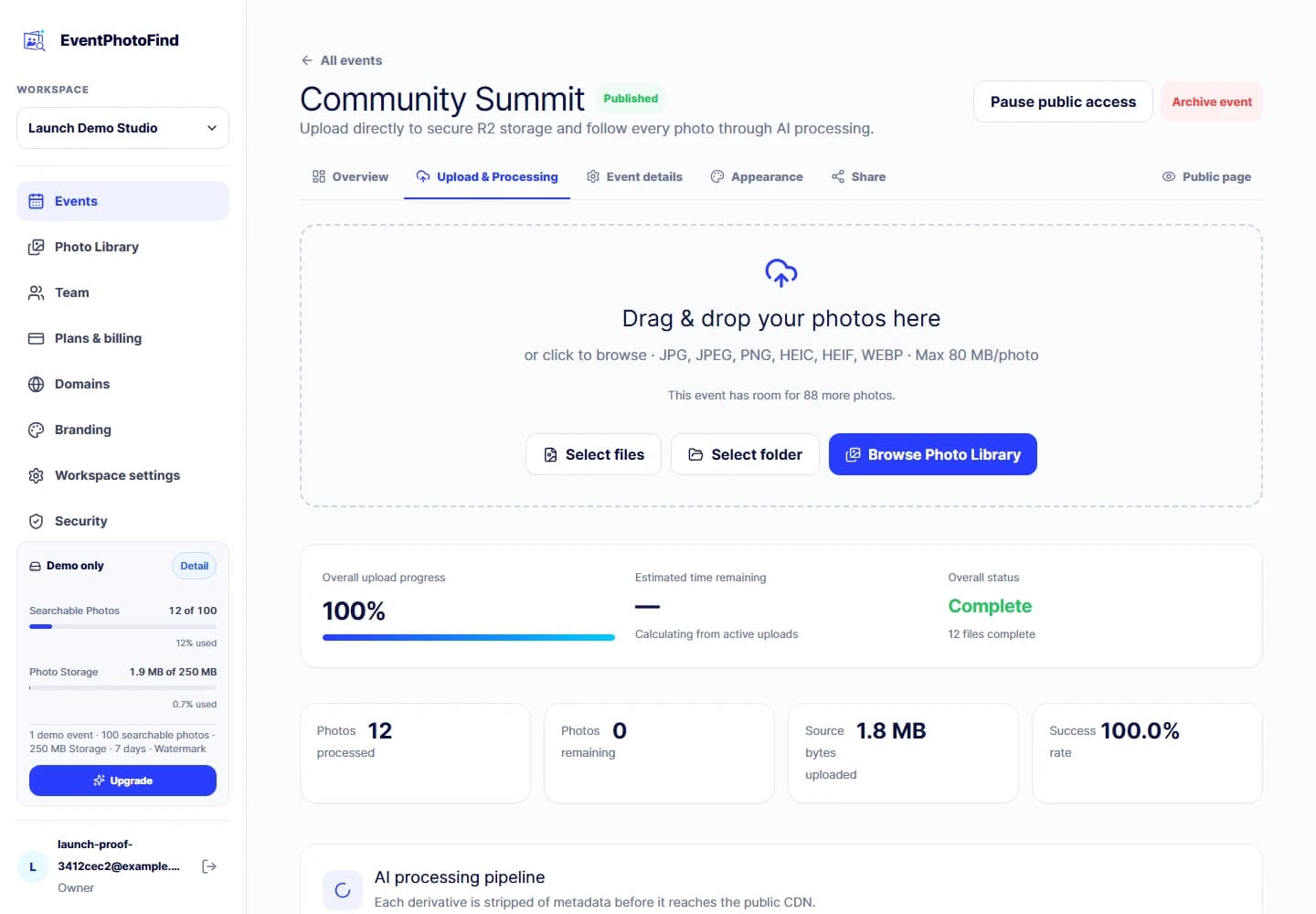
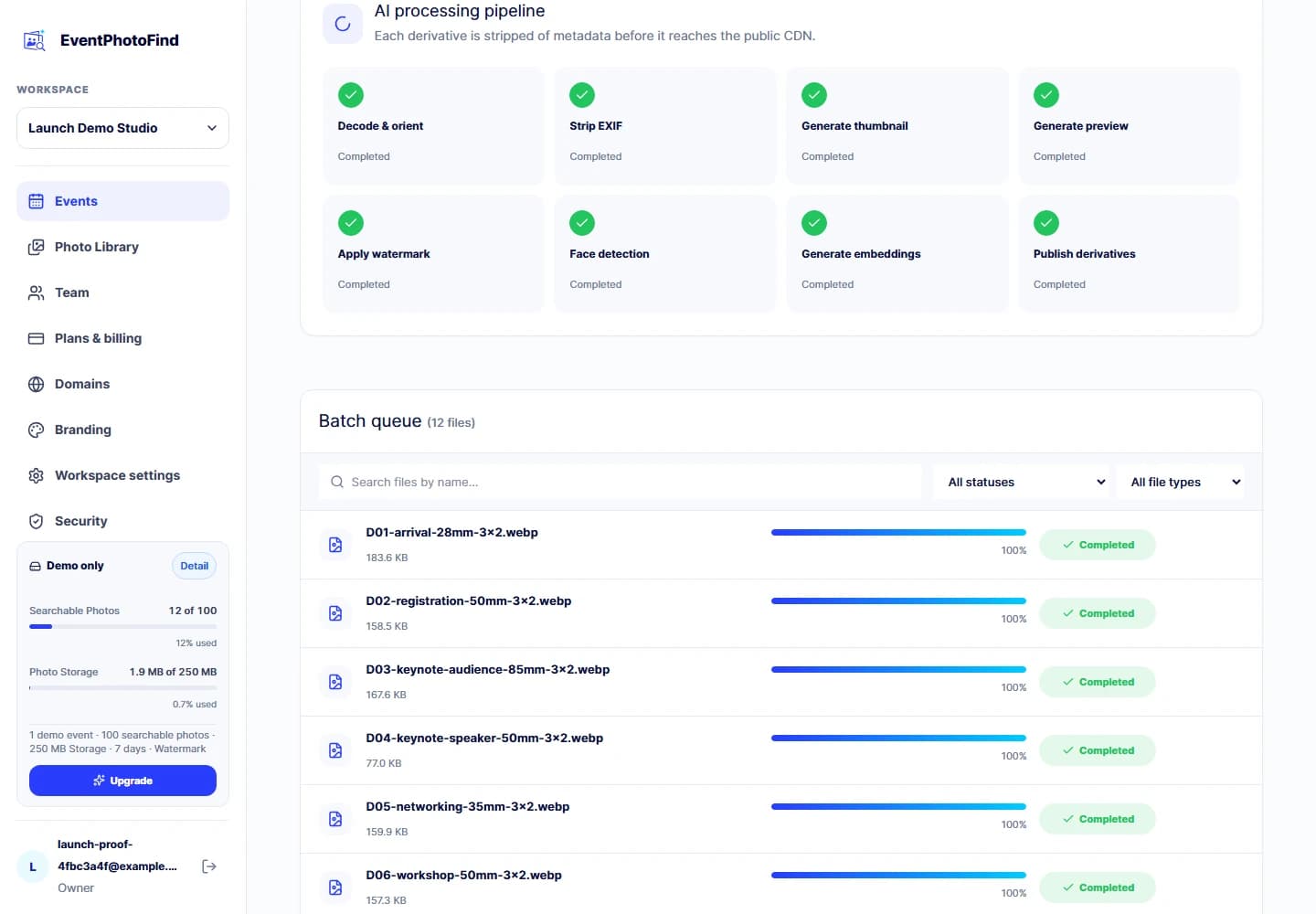
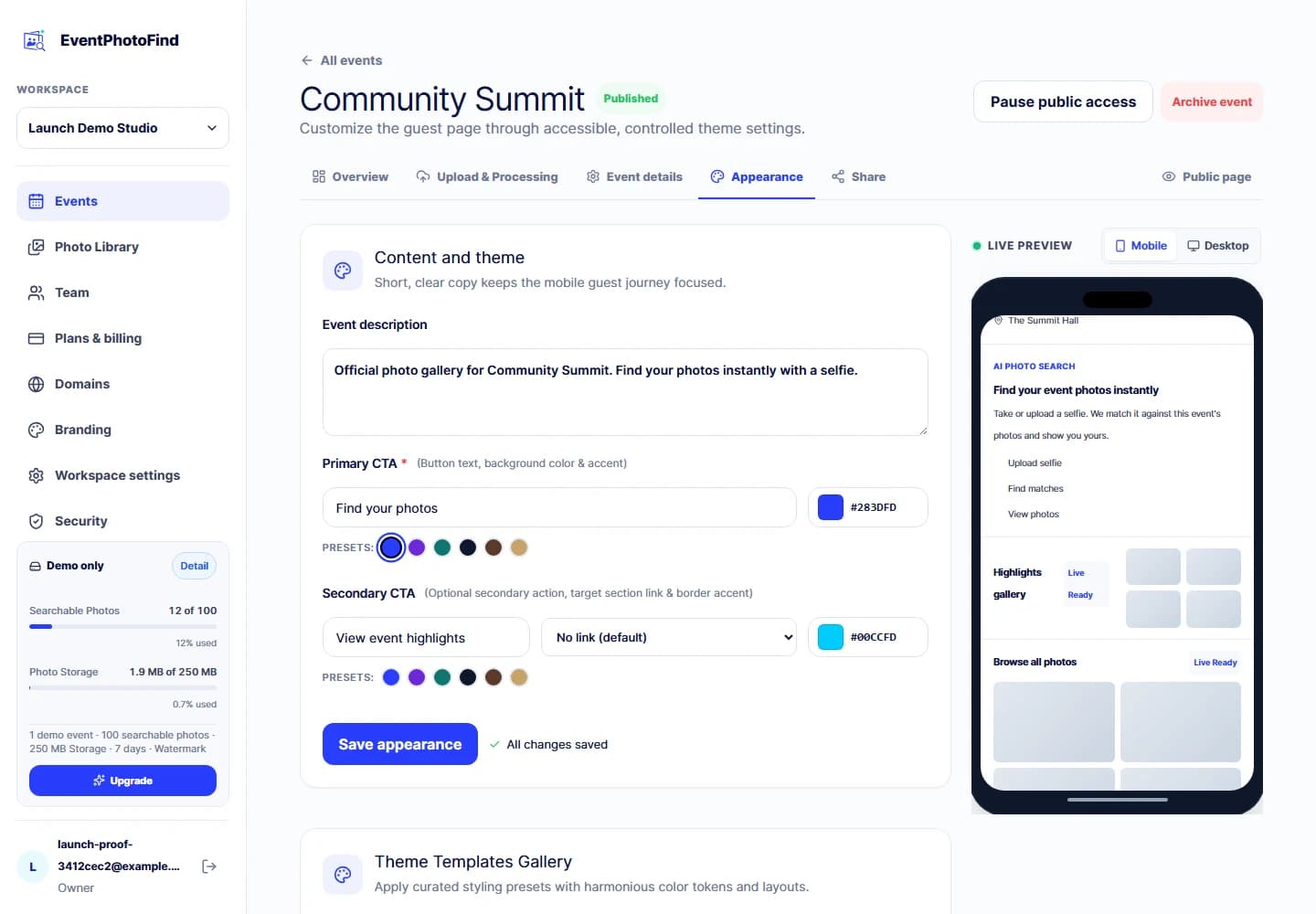
Deliver a single high-volume shoot without sorting who appears in what.
Keep each event on its own page and its own link instead of one growing archive.
Give the organizer a branded page they can share, rather than a folder they have to manage.
Reuse the same setup for the next booking with that client.
Bring teammates into the workspace with the owner, admin, editor or viewer roles the product already defines.
The questions that come up first
No app and no account. They open the event page in a mobile browser, review the notice and take a selfie.
You set the cover, logo, accent colors, theme and page sections. Custom domains are included from the Ultra plan upward.
It is received in memory, used for that one event search and discarded when the request ends. It is not stored as a file, database record or log payload.
Upload runs straight from the browser to storage, with each file up to 80 MB, and event and capacity checks applied before upload authority is issued.
New uploads, guest search and guest original downloads stop at the term end. The next 7 days are an owner-only renewal and raw-recovery window, not continued guest access.
Capacity that follows your bookings
Start Free gives you the full guest journey on one watermarked demo event. Paid plans are prepaid for 1, 3 or 12 months and combine a monthly Searchable Photo allowance with concurrent Photo Storage.
Paid subscriptions do not auto-renew. Enterprise capacity is contact-assisted.
Common questions
No. Guests open the public event page in their browser, review the selfie-search notice, then take or choose a selfie.
JPEG, PNG, WebP and HEIC, up to 80 MB per file. Uploads go directly from your browser to storage.
Yes. Invite members with the owner, admin, editor or viewer roles the product already defines. Access stays inside your workspace.
No. Every public guest search is scoped to one event. There is no cross-event search for guests.
No. It is processed in memory for the current event search and discarded when the request ends.
Start Free covers one demo event for 7 days. Paid plans are prepaid for 1, 3 or 12 months and include a monthly Searchable Photo allowance plus concurrent Photo Storage. They do not auto-renew.
Create one demo event, upload a small set and walk the guest journey yourself before deciding.